If your WebDriver test scripts look similar to the following script, you are not doing test automation correctly:
@Test
public void testFirstResult() {
driver.get("http://www.vpl.ca");
WebElement searchField = driver.findElement(By.xpath("//input[@id='globalQuery']"));
searchField.click();
searchField.sendKeys("java");
WebElement searchButton = driver.findElement(By.xpath("//input[@class='search_button']"));
searchButton.click();
WebElement searchResultLink = driver.findElement(By.xpath("(//a[@testid='bib_link'])[1]"));
searchResultLink.click();
WebElement bookTitleElement = driver.findElement(By.xpath("//h1[@id='item_bib_title']"));
String bookTitleValue = bookTitleElement.getText();
assertEquals(bookTitleElement.isDisplayed(), true);
assertTrue(bookTitleValue.length() > 0);
WebElement bookAuthorElement = driver.findElement(By.xpath("//a[@testid='author_search']"));
String bookAuthorValue = bookAuthorElement.getText();
assertEquals(bookAuthorElement.isDisplayed(), true);
assertTrue(bookAuthorValue.length() > 0);
}
The script includes many WebDriver API objects and methods:
Even if this script works correctly, it is very difficult to change and maintain.
Imagine having 50 scripts similar to this and some of them failing one day because of site changes (UI and functional).
Modifying 50 scripts would be a very difficult and time consuming task.
To remove the WebDriver API objects and methods from the test script, you should start using the Page Object Model.
"A page object wraps an HTML page, or fragment, with an application-specific API, allowing you to manipulate page elements without digging around in the HTML." Martin Fowler
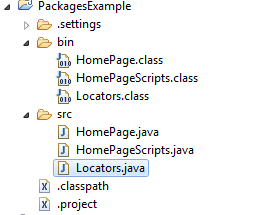
What you need to do is create classes that correspond to web pages or web page components and implement the interaction with the site inside of them.
These classes will be used then by the test scripts.
All WebDriver API methods will be moved from the test scripts to the page object classes so a test script looks as follows:
@Test
public void testResultsInfo() throws InterruptedException{
HomePage home = new HomePage(driver);
assertTrue(home.correctTitle());
ResultsPage results = home.search();
assertTrue(results.correctTitle());
assertTrue(results.keywordDisplayed());
assertTrue(results.resultsCount() > 0);
}
No WebDriver API classes and methods are included in this script.
The script uses 2 page object classes (HomePage and ResultsPage) that implement all interactions with the web pages.
Read more about Page Object Model on these 2 links:
http://martinfowler.com/bliki/PageObject.html
https://code.google.com/p/selenium/wiki/PageObjects
@Test
public void testFirstResult() {
driver.get("http://www.vpl.ca");
WebElement searchField = driver.findElement(By.xpath("//input[@id='globalQuery']"));
searchField.click();
searchField.sendKeys("java");
WebElement searchButton = driver.findElement(By.xpath("//input[@class='search_button']"));
searchButton.click();
WebElement searchResultLink = driver.findElement(By.xpath("(//a[@testid='bib_link'])[1]"));
searchResultLink.click();
WebElement bookTitleElement = driver.findElement(By.xpath("//h1[@id='item_bib_title']"));
String bookTitleValue = bookTitleElement.getText();
assertEquals(bookTitleElement.isDisplayed(), true);
assertTrue(bookTitleValue.length() > 0);
WebElement bookAuthorElement = driver.findElement(By.xpath("//a[@testid='author_search']"));
String bookAuthorValue = bookAuthorElement.getText();
assertEquals(bookAuthorElement.isDisplayed(), true);
assertTrue(bookAuthorValue.length() > 0);
}
The script includes many WebDriver API objects and methods:
- WebElement objects
- driver.findElement() method
- isDisplayed() method
- getText() method
- click() and sendkeys() methods()
- get() method
Even if this script works correctly, it is very difficult to change and maintain.
Imagine having 50 scripts similar to this and some of them failing one day because of site changes (UI and functional).
Modifying 50 scripts would be a very difficult and time consuming task.
To remove the WebDriver API objects and methods from the test script, you should start using the Page Object Model.
"A page object wraps an HTML page, or fragment, with an application-specific API, allowing you to manipulate page elements without digging around in the HTML." Martin Fowler
What you need to do is create classes that correspond to web pages or web page components and implement the interaction with the site inside of them.
These classes will be used then by the test scripts.
All WebDriver API methods will be moved from the test scripts to the page object classes so a test script looks as follows:
@Test
public void testResultsInfo() throws InterruptedException{
HomePage home = new HomePage(driver);
assertTrue(home.correctTitle());
ResultsPage results = home.search();
assertTrue(results.correctTitle());
assertTrue(results.keywordDisplayed());
assertTrue(results.resultsCount() > 0);
}
No WebDriver API classes and methods are included in this script.
The script uses 2 page object classes (HomePage and ResultsPage) that implement all interactions with the web pages.
Read more about Page Object Model on these 2 links:
http://martinfowler.com/bliki/PageObject.html
https://code.google.com/p/selenium/wiki/PageObjects